
Amazon Main Image Requirements: Stop Getting Suppressed and Start Selling
Your main image has one job: stop the scroll and get the click. But before it can sell, it has to comply with Amazon's strict, non-negotiable rules. Failure isn't an option—it’s a guaranteed listing suppression.
The absolute mandates are a pure white background (RGB 255, 255, 255) and your product filling at least 85% of the frame. The image must be a minimum of 1000 pixels on its longest side to enable zoom. Violating these is the fastest way to make your product invisible and kill your sales velocity. Don't be the seller who learns this the hard way.
Why Your Main Image Is Your Most Critical Conversion Lever
Your main image is your silent salesperson on the most crowded digital shelf in the world. It is the single biggest factor influencing click-through rate (CTR) from search results. Your copy doesn't matter if no one clicks to read it.
Getting this right isn't about aesthetics; it's about performance. Amazon's A9 algorithm directly rewards listings with higher CTRs. A weak main image doesn't just look unprofessional—it actively harms your organic ranking. These rules exist because Amazon has tested what builds buyer trust and drives conversions. A clean, uniform search experience reduces friction and sells more products. Compliance is the price of entry.
The Core Rules You Cannot Break
These are not suggestions. They are mandates. There is no creative interpretation for the main image. You either comply, or you get suppressed.
- Background Color: The background must be pure, clinical white. Not off-white, not light gray, but specifically RGB (255, 255, 255). This isolates the product and standardizes the search results page.
- Product Only: The image must feature only the product for sale. No props, no accessories that aren't included, and no confusing bundles unless they are part of a single ASIN. Keep it surgically clean.
- Zero Added Elements: Your main image cannot contain any text, logos, watermarks, or badges like "Made in USA" or "Sale." These are immediate policy violations that will get your image flagged and your listing suppressed.
- Professional Quality: The photo must be sharp, in focus, and well-lit. Blurry, pixelated, or poorly shot images signal a low-quality product and a non-serious seller to both shoppers and Amazon.
This image boils down the three pillars of a compliant main image: the background, the size, and the product's dominance within the frame.
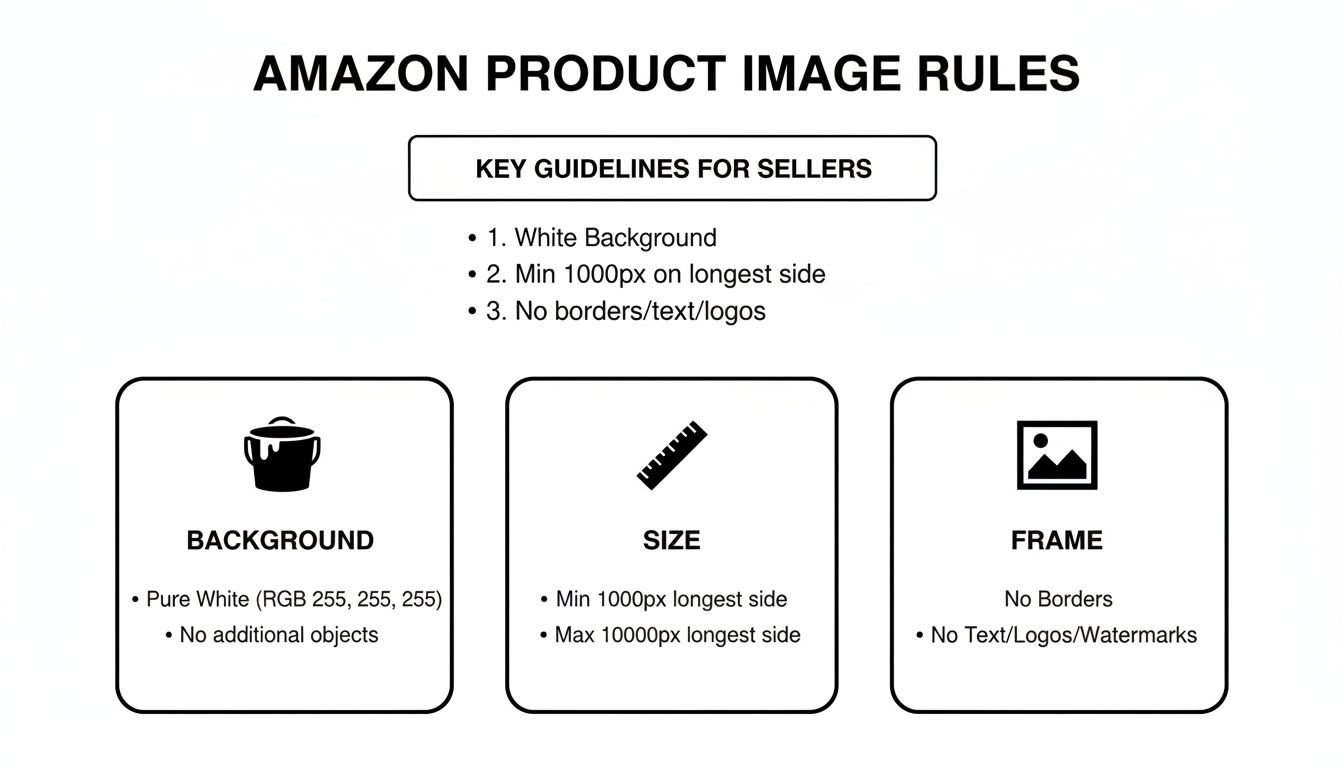
Get these three right, and you’re already outperforming lazy competitors.
Below is a quick-reference checklist. Memorize it, send it to your photographer, build it into your SOPs. Just don't ignore it.
Amazon Main Image Requirements Checklist
| Requirement Category | Specification | Why It Directly Impacts Conversion |
|---|---|---|
| Background | Pure white (RGB 255, 255, 255) | Creates a uniform, trustworthy shopping experience and isolates your product visually. |
| Product Occupancy | Product must fill >85% of the image frame. | Maximizes visibility on crowded search pages, especially on mobile, making details instantly clear. |
| Pixel Dimensions | Minimum 1000px on the longest side. (1600px+ is the professional standard). | Enables the zoom feature, which is critical for buyers to inspect quality and detail. No zoom = no trust. |
| Content Rules | No text, logos, watermarks, or props. | Prevents a cluttered, low-quality appearance and ensures compliance with Amazon's strict policies. |
| Product Representation | Must be a professional photo; no illustrations. | Builds buyer confidence by showing the exact product they will receive, reducing returns. |
| File Format | JPEG, TIFF, PNG, or GIF. (JPEG is the only correct choice). | Ensures your image loads quickly and is compatible with Amazon's imaging system. |
This table covers the fundamentals. Following these rules isn't about avoiding suppression; it's about engineering your product to win the click.
Why Technical Specs Are a Sales Issue, Not an IT Issue
Meeting technical specs like pixel dimensions is not a box-checking exercise. It directly impacts buyer psychology and your conversion rate.
An image smaller than 1000px on its longest side disables the zoom feature. For a buyer evaluating product quality, this is a dealbreaker. It creates doubt and friction, sending them directly to a competitor whose listing allows for close inspection. For a deeper look at conversion-focused photo strategies, see the guides on the AZProdshots blog.
Viewing these requirements as a technical checklist is a critical mistake. They are foundational tools for building buyer confidence and driving revenue.
Breaking Down the Technical Specs for Peak Performance
Getting the technical details right isn't about appeasing Amazon's bots—it's about maximizing your image's selling power. Amazon’s specs are designed to keep the platform fast, uniform, and trustworthy for buyers. Master them, and your main image will not only pass inspection but will be engineered to convert.
Ignoring these rules is a common mistake that gets listings suppressed instantly. A technically perfect image loads fast, zooms flawlessly, and looks sharp on any device. It is the foundation of a high-converting listing.
Pixel Dimensions: The Gateway to Trust and Clarity
The single most important technical requirement is pixel dimension. Amazon’s absolute minimum is 500px, and zoom activates at 1000px, but aiming for the minimum is a strategic failure.
The goal is to let buyers inspect your product's materials, texture, and build quality. When they zoom, they are looking for reasons to trust you. A blurry or pixelated zoom destroys that trust instantly. This is why 1600x1600 pixels is the optimal size for most products. It provides sharp, clear detail upon zoom without creating a massive file that slows down page load times—a critical factor for mobile shoppers.
File Format and Color Mode: The Non-Negotiables
Amazon accepts several file formats, but they are not equal. Your choice here impacts image quality and load speed, both of which directly affect conversion.
- JPEG (JPG): This is the only format you should be using for almost all Amazon images. It provides the best balance of high quality and small file size, essential for fast-loading pages that convert.
- PNG: Reserve PNG for secondary images where transparency might be needed for infographics. For the main image on pure white, JPEG is superior.
- TIFF & GIF: Avoid these. TIFF files are unnecessarily large, slowing load times. GIFs have a limited color palette unsuitable for professional product photos.
Equally critical is the color mode. Your images must be saved in the sRGB color profile. Amazon's systems are standardized on sRGB. Uploading a file in CMYK (for print) will cause severe color distortion once processed by Amazon, misrepresenting your product and increasing returns.
Resolution and File Size Constraints
The professional standard for Amazon sellers is 1,600 x 1,600 pixels. This resolution provides excellent zoom capability while remaining well under Amazon's 10,000-pixel and 10 MB limits.
Your image resolution must be at least 72 dpi. It also needs to be sharp, clear, and free of jagged edges, or Amazon's automated quality checks will likely reject it. Amazon pushes for images over 1,000 pixels because their data proves that zoom-enabled listings convert better—shoppers who zoom are highly engaged and more likely to purchase. You can read more about Amazon's own findings on how product photos impact sales on their blog.
Pro Tip: When exporting from Photoshop or a similar editor, use the "Save for Web" function. It is specifically designed to optimize images by stripping unnecessary metadata and applying intelligent compression. This single step prevents countless common rejection errors without sacrificing visual quality.
Getting technicals right is half the battle. The content policy is where most listings die a silent death. A technical error often triggers a clear rejection notice. A policy violation? Your product simply vanishes from search, leaving you scrambling to diagnose the problem.
Violating these rules doesn't just risk suppression; it signals low quality to both Amazon's algorithm and your potential customers. Amazon fiercely protects its uniform, trustworthy shopping experience. Mastering these content rules isn't optional—it's essential for survival.

The Pure White Background Mandate
This is the single most critical and most frequently violated rule. Your main image background must be pure digital white, defined as an RGB value of (255, 255, 255). There is zero ambiguity here.
Off-white, light gray, or a photo shot against a "white" physical backdrop that has not been digitally removed will fail. Amazon’s bots are programmed to detect the slightest shadow or color tint. This is the #1 reason for main image suppression. The purpose is to make your product "float" seamlessly on the search results page, focusing all attention on what you're selling.
Common Mistake: Assuming a photographer's "white seamless" backdrop is sufficient. It is not. Natural lighting creates shadows and gradients. The background is never truly pure white until it has been digitally removed in post-production and replaced with a solid RGB (255, 255, 255) layer. Always verify the color code before uploading.
Absolutely No Extra Clutter
Your main image must be surgically clean. Amazon strictly prohibits anything that is not the product itself. Including any of the following is asking for your listing to be suppressed.
- Text and Logos: No brand logos, no promotional text like "Sale," and no feature callouts.
- Watermarks: Any watermark, transparent or opaque, is strictly forbidden.
- Badges or Icons: Do not add trust badges like "Made in the USA," "100% Guarantee," or any other icons.
- Inset Images: You cannot show a close-up detail shot as a smaller picture within your main image.
- Illustrations or Drawings: It must be a professional photograph of the real product. No sketches, mockups, or placeholders are allowed.
Props, Packaging, and Other Nuances
The rule is simple: if it's not included in the purchase, it cannot be in the main image. This prevents customer confusion and protects you from a flood of "item not as described" complaints and returns.
The product's packaging can sometimes be shown, but only if it's a key part of the product experience—and the product itself must remain the hero of the shot.
Props are almost always a violation. The only time they are remotely permissible is to demonstrate scale, but it is a risky strategy best avoided in the main image. Save props, lifestyle shots, and context for your secondary images, where the rules are far more flexible. While focusing on Amazon's rules, a solid understanding of general content guidelines will improve your strategic intuition.
Troubleshooting Common Main Image Rejection Errors
When Amazon's algorithm suppresses your main image, it's a direct assault on your revenue. Every hour your listing is inactive is lost sales. Knowing why images get rejected and how to fix them immediately is a critical operational skill.
These rejections are not random. They are triggered by automated bots scanning for specific violations. The key is to learn to see your image through the eyes of the algorithm. This allows you to diagnose and resolve errors in minutes, long before needing to open a support case.
Non-Pure White Background
This is the most common and infuriating rejection. You shot on a white background, but Amazon's system still flagged it. Why?
The algorithm isn't looking for "mostly white." It is programmed to find one thing: a pure, digital RGB value of (255, 255, 255). The slightest shadow, a subtle gradient from studio lighting, or a color cast will trigger a rejection.
The Fix:
- Open your image in a professional editor like Photoshop.
- Use the eyedropper tool and sample various points in the background.
- Check the RGB values. If you see anything other than (255, 255, 255), the background is non-compliant.
- Digitally remove the background. Replace it with a solid, pure white layer. Relying on a physical white backdrop is a recipe for suppression; post-production is non-negotiable.
Product Does Not Fill 85% of Frame
Amazon enforces this rule to maximize your product's visibility on crowded search pages, especially on small mobile screens. If your product is a tiny dot in a sea of white, it gets ignored, killing your CTR. The system algorithmically measures the pixel area of your product against the total canvas size.
The Fix:
- Crop Aggressively: Crop the image so there is minimal white space around the product. It should feel like it’s nearly touching the edges of the frame.
- Maintain Aspect Ratio: This is critical. While resizing or cropping, ensure you do not distort the product. A squashed or stretched product looks cheap and untrustworthy. Lock the aspect ratio.
Text, Logos, or Watermarks Detected
This is a zero-tolerance policy. Amazon’s bots use Optical Character Recognition (OCR) to hunt for any forbidden text, logos, or watermarks. It doesn't matter if the logo is part of your product's design—if the bot misinterprets it, the image can get flagged.
The Fix:
- Use the Clone Stamp and Healing Brush: Master your editing tools. Meticulously paint over any text or logos visible on the product or its packaging in the main image. It is tedious but necessary.
- Reshoot from a Different Angle: Often, the fastest fix is to simply reshoot the product from an angle where the offending text or logo is not visible.
If you are constantly battling these edits, it is more cost-effective to have a specialist handle it. For stubborn issues, you can get expert help with your Amazon images to ensure they are compliant from day one.
Image is Blurry or Pixelated
A blurry image screams "low-quality product." It's a poor customer experience, and Amazon knows it. Their system automatically flags images that are out of focus, blurry, or pixelated. This typically happens when a low-resolution image is uploaded and stretched, or from excessive file compression.
The Fix:
- Start with a High-Resolution Source File: Always begin with the largest, highest-quality photograph available. You can always reduce an image's size, but you can never add detail that wasn't captured originally.
- Verify Dimensions Before Upload: Before the file ever touches Seller Central, confirm it is at least 1600px on its longest side. This provides Amazon with ample pixel data for a sharp image and a flawless zoom experience for your customers.
Optimizing Your Main Image for Mobile CTR
Compliance is just the baseline. A compliant image keeps your listing live, but it doesn't earn you a dollar. The real objective is to engineer an image that stops the scroll and compels a click on a crowded mobile search results page.
This requires a mobile-first mindset. Over half of Amazon’s traffic is on smartphones, where your main image is compressed into a tiny square. A product that looks impressive on a desktop monitor can become an unrecognizable smudge on a phone, destroying your click-through rate (CTR). Every decision—from product angle to lighting—must be optimized for that tiny thumbnail.
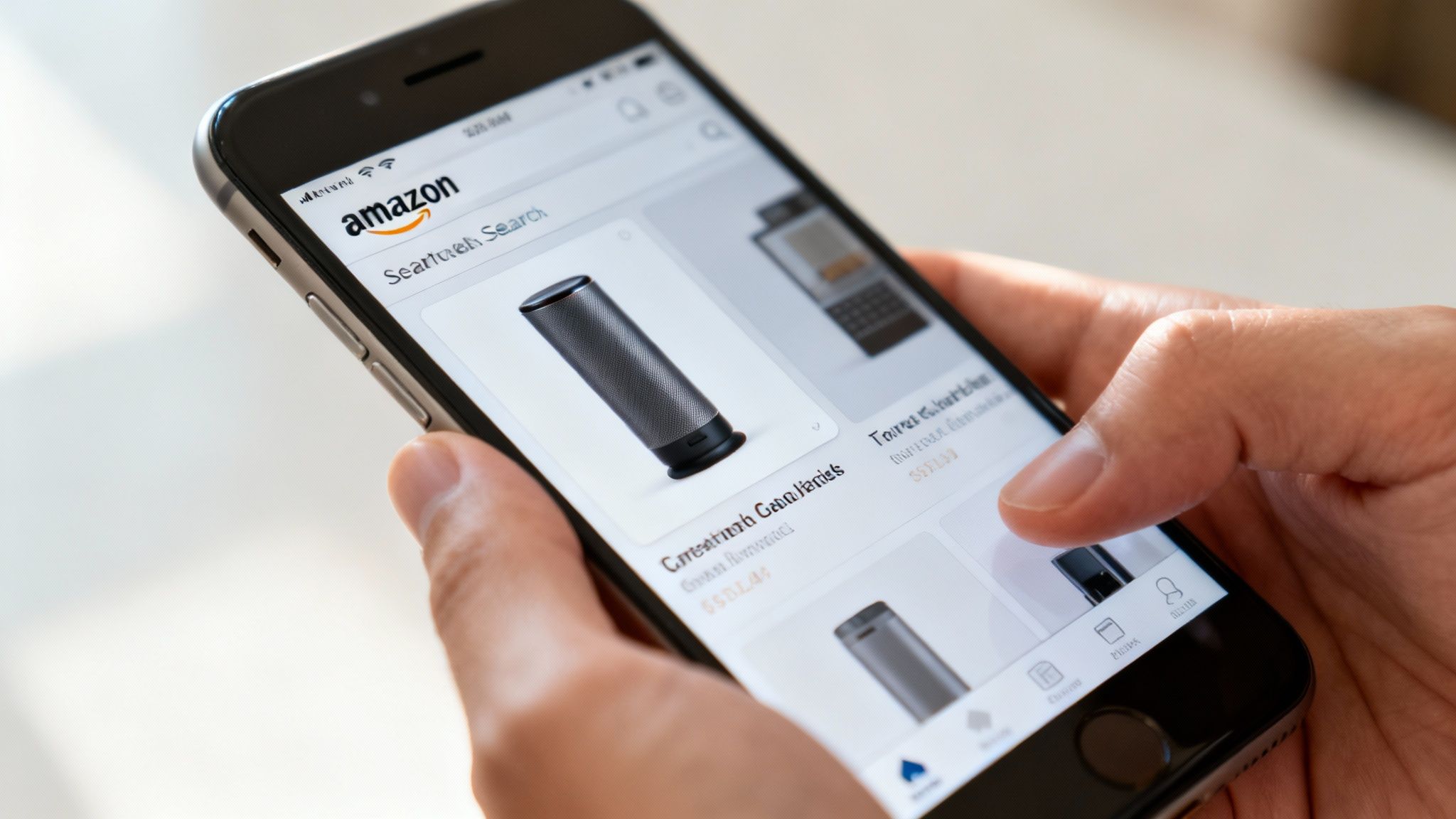
From Compliant to Compelling
The leap from a compliant image to a high-CTR image lies in the execution of details. You cannot add text or props, but you have complete control over composition, lighting, and shadow. This is where you make your product dominate.
- Product Angle: Does a standard 45-degree angle showcase the product's key feature, or does a head-on shot make its purpose instantly clear? Test angles to see which remains most identifiable when shrunk to a thumbnail.
- Lighting and Shadow: The background must be pure white, but your product should not look flat. A subtle, realistic drop shadow beneath the product adds depth and makes it feel tangible. It prevents the product from looking like a cheap, floating cutout.
- Cropping and Scale: Weaponize the 85% frame rule. Be aggressive. Crop in tight to make your product as large as possible within the frame. For small items, a tight crop is essential for mobile visibility.
Winning the Click Against Competitors
Your main image does not exist in a vacuum. It is in direct competition with a dozen other thumbnails fighting for the same click. The only way to win is to be visually distinct while remaining compliant.
If every competitor shows their water bottle straight-on, test a slight angle that highlights a unique cap design. If they all use flat, boring lighting, use professional lighting to create dimension and communicate premium quality.
This isn't about finding loopholes. It's about out-executing your competition within the strict confines of the rules. For most sellers, it’s more effective to order professionally designed Amazon listing images built from the ground up to win that click. An optimized main image isn’t just a photograph; it’s a conversion tool.
Your Main Image Isn't Just a Requirement—It's Your Most Powerful Sales Tool
It’s a massive strategic error to treat Amazon's main image rules as a simple compliance checklist. The requirements aren't the goal; they are the price of admission to a marketplace where that single image is your primary lever for driving sales.
Think of it as the force multiplier for your entire Amazon business.
Every technical spec and content policy—from pixel dimensions to background color—exists to create a high-converting search experience. By mastering these rules, you aren’t just avoiding suppression; you’re building a strategic asset. A perfectly optimized main image immediately improves PPC campaign performance by earning a higher CTR, making every ad dollar more efficient.
Your Image Is Your Bottom Line
That higher CTR does more than lower your ACoS. It sends a powerful relevance signal to Amazon’s A9 algorithm, which can improve your organic ranking. Once a shopper clicks, a crisp, high-quality image builds the trust needed to drive up your conversion rate. The takeaway is simple: images sell first, copy sells second.
Investing in professional, conversion-focused photography is one of the highest-ROI decisions a seller can make. It’s not an expense; it’s a direct investment in your CTR, CVR, and brand's perceived value. To see how powerful visuals can be, explore some visual storytelling examples for inspiration on how to captivate buyers within Amazon's framework.
The success or failure of your entire listing often hinges on a single JPEG file. Neglecting your main image isn't just a missed opportunity; it’s a conscious decision to let competitors take sales that should have been yours.
This is the core of our philosophy. As we detail at https://azprodshots.com/about, professional, conversion-focused imagery is not a luxury. Your images are your silent sales team, working 24/7 in the world's most competitive marketplace. Failing to equip them properly costs you sales, every single day.
Main Image FAQs
Even experienced sellers get hung up on the nuances. The official rules cover the basics, but what about mannequins, shoes, or logos that are physically on the product? Here are direct answers to common, high-stakes questions.
Can I Use a Mannequin for Apparel Main Images?
Yes, but the rules are specific and unforgiving. For adult clothing, you can use a live model or a mannequin. However, top sellers use the "invisible mannequin" technique where the form is edited out in post-production. This creates a clean, "hollow" look that best showcases the garment's shape.
For infant and baby clothing, the rule is absolute: the item must be shown laid flat. No models, no mannequins. Amazon's bots are extremely strict on this, and a violation will get your listing suppressed instantly.
Are the Rules Different for Shoes or Jewelry?
The core rules—white background, no props, 85% frame fill—apply to all categories. However, category-specific best practices have emerged.
- Shoes: For the main image, always show a single shoe—typically the left one—angled to display the side profile while revealing a portion of the top. Showing a pair, while not technically forbidden, clutters the thumbnail and looks amateur.
- Jewelry: This category is challenging due to small size and reflective surfaces. The 85% rule is non-negotiable to ensure visibility. Professional lighting is critical to capture detail without creating harsh glare that obscures the product.
What Is the Fastest Way to Create a Pure White Background?
Do not rely on a physical white backdrop. This is a classic rookie mistake that almost never produces the pure white Amazon's bots require. The only reliable method is digital background removal.
The Method: Use a professional photo editor like Adobe Photoshop and its "Pen Tool." Manually trace a precise path around your product. Convert the path to a selection, invert it, and delete the background. Create a new layer underneath and fill it with pure white: RGB (255, 255, 255). Do not use automated "magic wand" tools; they leave behind artifacts and fuzzy edges that Amazon's bots will detect. Manual tracing is the only way to guarantee compliance.
How Strictly Does Amazon Enforce the 85% Frame Rule?
Incredibly strictly. This is not a guideline. Amazon's bots algorithmically count the pixels. They measure the area your product occupies against the total canvas size.
Treat 85% as the bare minimum, not the target. For mobile optimization, you want to push this limit, making your product dominate the frame as much as possible without appearing distorted.
Can My Product Itself Have a Logo on It?
This is a common point of confusion. The "no logos" rule is designed to prevent sellers from adding brand watermarks to the image. If a logo is an integral part of the physical product—such as being stamped on a speaker or stitched onto apparel—it is generally permissible.
However, be warned: Amazon's bots can make mistakes. If your product's own branding gets your image flagged, you will either have to appeal the decision or edit the logo out of the main image. The safest strategy is to choose a main image angle where the logo is not the primary focal point. Save prominent branding shots for your secondary images, where the rules are more relaxed.
At ProductShots, we create research-driven, fully compliant Amazon image sets engineered to stop the scroll and drive conversions. We handle the rules so you can focus on growing your business. Get your high-converting Amazon images in just 2-3 days.